Headless CMS with a page builder: how much freedom does your content team need?
2026-11-12

A landing page for a new campaign, an updated offer or an extra section on your website: some teams want to handle all of this themselves. Others only need access to specific areas, such as the blog or project references.
A headless CMS can support either approach. What matters is which content you want to manage yourself and which pages you want to assemble from existing components. The right setup starts with the way your content team works.
At pargoo, we define that scope together with you. We focus on three questions: how often does something change, where will content and components be reused, and how frequently will you create new pages?
Editing content and designing pages are different tasks
When you write a blog post, you typically edit the title, body text, images and other details. A template can determine how they appear on the website. You manage the content without having to make layout decisions every time.
A campaign landing page may need more flexibility: an opening section, an explanation with an image, customer testimonials and a contact section. A page builder lets you assemble that page from the components provided for it and choose their order.
A headless CMS separates content management from presentation. The design options available to your team are configured as part of the project. A headless CMS with a page builder does not automatically mean an unrestricted design editor. Storyblok, for example, supports nestable content blocks for building these page structures.
Your day-to-day work determines what should be editable
An area you update regularly should be easy to manage in the CMS. That might include offers, blog posts or landing page content. Sections that remain unchanged for a long time may not need the same editorial flexibility.
Two other factors can justify a broader setup: you want to reuse components across many pages, or you regularly create new pages. In that case, building large parts of the website from a shared set of components can make sense.
Together, we establish:
- Which changes does your team frequently make itself?
- Which components are needed in multiple places?
- Do you regularly create new pages with different combinations of content?
- Which areas stay the same over longer periods?
These answers determine what should be editable in the CMS. Whether the website is technically generated in advance or loaded when someone requests a page is a separate architectural decision.
Tested components provide flexibility and keep the design consistent
We build our websites from defined components. Your content team can combine them within the intended framework and add the relevant content. Individual components can offer specific options, such as a different background or an appropriate accent colour.
Spacing, font sizes and behaviour across screen sizes are defined in the components. Nobody has to specify every layout detail when creating a page.
A text-and-image component might display its content side by side on a large screen and stack it vertically on a phone. The editor chooses the content and an allowed variation; the implementation handles the responsive behaviour.
This takes planning and testing. Even with tested components, new pages should be checked in preview, including long headings, different image formats and narrow screens. The component system provides reliable rules, but the finished page still needs to be reviewed.
Alpian: building new pages independently
The Alpian website puts the marketing team's independence at the centre. With Storyblok, the team can maintain existing content and build new pages without requiring additional programming for each new combination.
That suits a workflow where new landing pages and varied page structures are regularly needed. A shared set of components provides the foundation. When a completely new component or feature is required, developing it remains part of the technical work.
ready and pargoo: focused editing and automated content lists
Not every project needs the same scope. On our own pargoo website, for example, project references, blog posts and case studies are managed through the CMS.
At ready, the team uses Strapi to manage courses, lessons and interactive questions, among other content. The CMS also stores university records and other content. Individual areas, such as the homepage hero, are implemented as fixed sections.
Other components automatically bring content together. One example at ready displays all universities stored in the system. The team maintains the records, while the component's rule determines which entries appear. There is no need to assemble a separate list by hand.
This highlights three decisions: which data can be edited, where the team can choose the page structure, and which displays follow a predefined rule automatically.
Manage content once and present it in different ways
Reuse applies both to components and to the data they contain. A component type can appear on many pages with different content each time. A shared record can also appear in several places.
Consider a hypothetical course record with a title, summary and other details in the CMS. It could appear as a compact card in an overview, a list entry on a university page and a more detailed presentation on its own page. Each view draws on the same record and presents it for a particular purpose.
When those views use centrally managed fields, a change only needs to be entered once. When it becomes visible also depends on the website's integration and caching.
For this to work, the content model must define those relationships. Creating independent copies of the same text brings duplicate maintenance back into the process. Strapi also supports modelling content types, components and relationships.
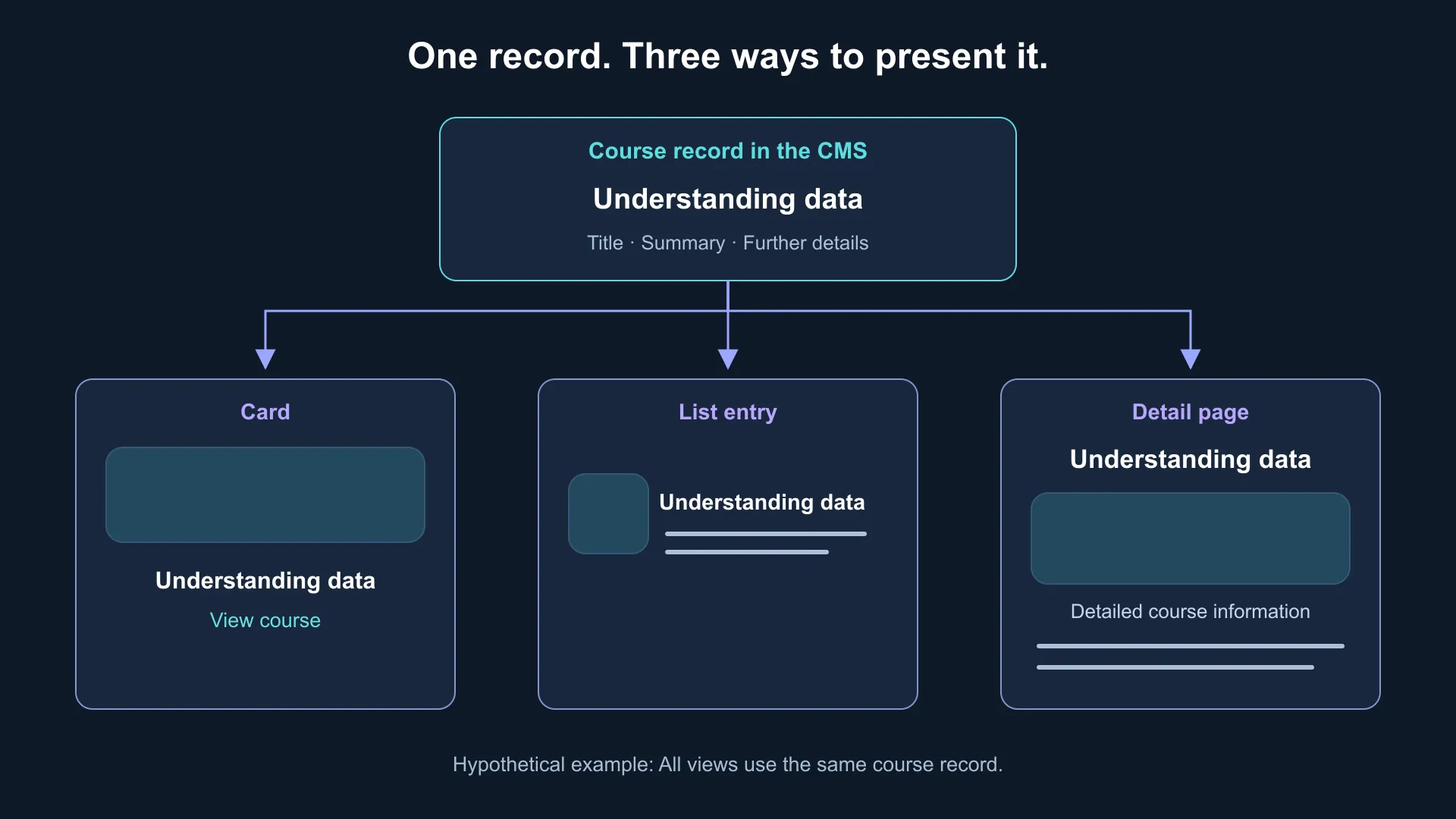
Hypothetical example: The same course record appears as a card, a list entry and a detail page. The data is managed centrally.
Why clear components help AI agents too
An AI agent working with the CMS through a suitable integration needs the same clear structures as your content team. It might fill in a text-and-image component or assemble a page from the components it is allowed to use.
The available fields and variations set the design boundaries. The developed components determine the layout and its behaviour across devices. The agent can work within the existing system rather than generating a new layout for each content change.
That provides a useful foundation, but it does not guarantee an error-free result. The content, component combination and presentation still need to be checked. Whether the agent can only create drafts or also publish is decided for each content category and workflow, with appropriate access permissions enforcing those rules.
Our article Headless CMS: connecting content, AI agents and apps explains how this kind of connection supports editorial work without copying content between chat and CMS.
Build the right component system around your tasks
Your team may only need a straightforward way to update offers. Or it may need to create new pages regularly using existing components. The options should match the work and remain clear to the people using them.
At pargoo, we work with you to identify which content changes frequently, which data is needed in multiple places and where design flexibility is useful. We then develop the component system and its rules around those needs.
Want to understand which areas of your website your team should be able to manage and assemble itself? Let's look at your content workflow together.