AI for SMEs: How to Connect Your Tools and Data Securely
2026-11-06

AI for SMEs: Where do you start?
ChatGPT, Copilot, agents, automation, MCP: new terms and tools can appear faster than you can make sense of them. Perhaps some of your employees are already experimenting with AI. But what will actually help your business? And how do you keep control of your data?
A good starting point is to understand how the pieces fit together and where they can support a specific workflow.
From a chat window to a connected workflow
Many first experiments look like this: you copy information from a system into a chat, then copy the answer back out. That can be useful. But when a task involves several steps, up-to-date data, or repeated work, all that copying becomes cumbersome.
A connected AI assistant can retrieve information from approved tools and, if its permissions allow, prepare or carry out changes. You don't have to copy the content by hand at every step. What's possible depends on the connection, the permissions, and the tools involved.
An example: working with your CMS
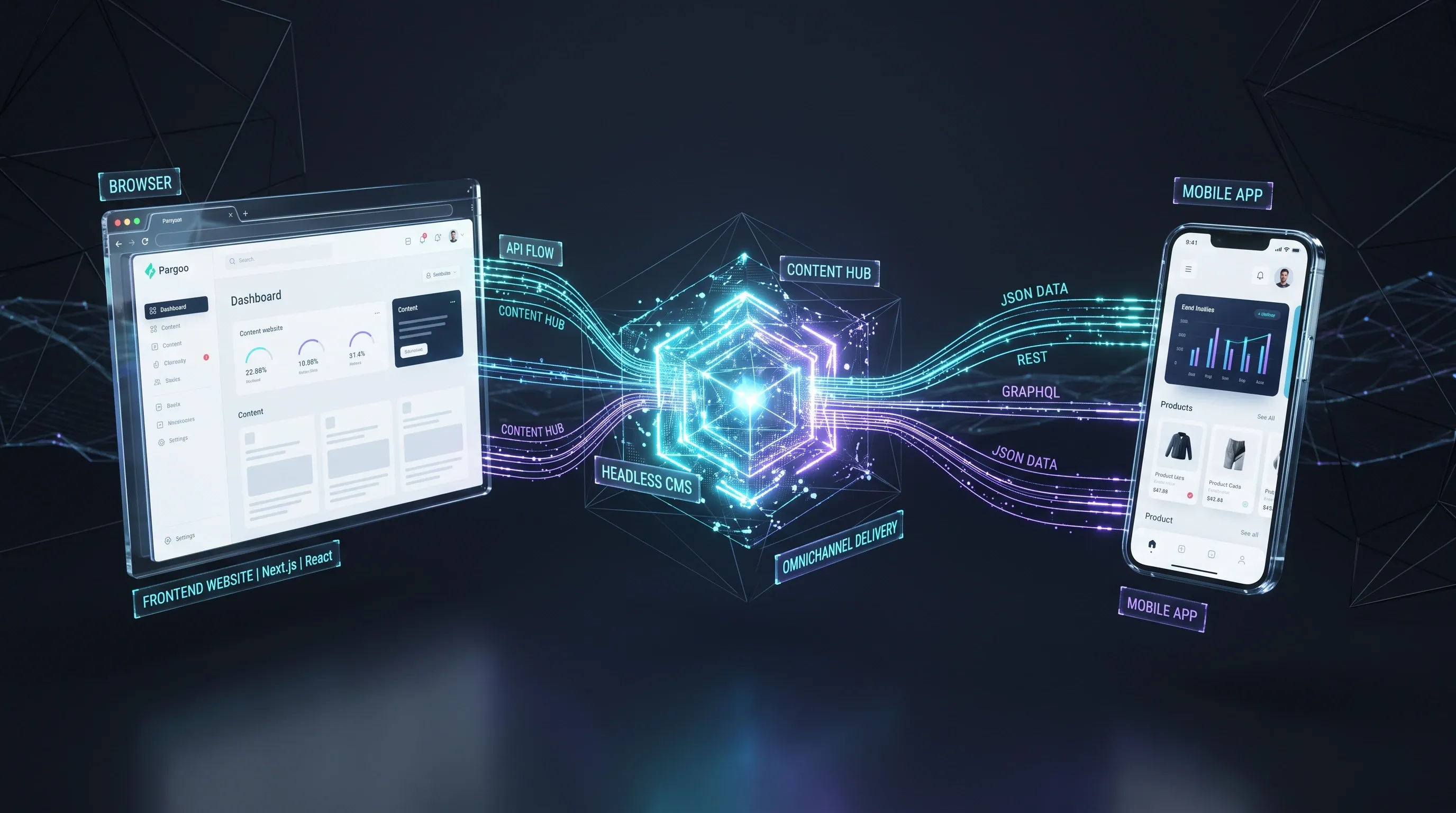
Imagine you want to update an event notice on your website. You ask your AI assistant where the notice appears and what it says. The assistant retrieves the approved content from your content management system (CMS) and proposes a change. You review the suggestion. If the workflow is configured to require approval, the change is published only after you approve it. The idea can apply elsewhere too. An agent could pull together information about potential customers from a customer relationship management system (CRM), or organise campaign data from an advertising tool. Whether a campaign is performing well still depends on its goals, costs, data quality, and how the results are interpreted. These are examples of what's possible, not features that automatically come with every tool.

Imagine you want to update an event notice on your website. You ask your AI assistant where the notice appears and what it says. The assistant retrieves the approved content from your content management system (CMS) and proposes a change. You review the suggestion. If the workflow is configured to require approval, the change is published only after you approve it. The idea can apply elsewhere too. An agent could pull together information about potential customers from a customer relationship management system (CRM), or organise campaign data from an advertising tool. Whether a campaign is performing well still depends on its goals, costs, data quality, and how the results are interpreted. These are examples of what's possible, not features that automatically come with every tool.
What are the building blocks of an AI agent?
You don't need to build the technology yourself. But understanding the main components can help you assess the tools and services available:
- AI assistant or agent: The application you work with. Depending on its setup, an agent can perform several steps and use tools. It relies on an AI model that can, for example, process language and generate answers.
- Connections and tools: These let the agent access approved functions and data in another system, such as searching for content in a CMS. MCP is one possible standard for these connections.
- Plugins: Extensions that can add functions to an assistant or bring several components together. Their structure depends on the platform.
- Skills: Reusable instructions and, sometimes, supporting resources for particular tasks. An editorial skill, for example, might describe how to structure and review a blog post. A skill alone doesn't create a data connection or replace permissions.
These terms aren't always used consistently. For your first steps, what matters most is what a tool is allowed to do and what data it receives.
Why “bring your own agent” isn't a business strategy
On a company Windows computer, there are often rules about who can install software. With AI, a different situation can arise: employees use personal accounts or bring their own agents because they want to make work easier. They copy documents into them or connect a business tool on their own.
The reason is understandable. Without shared rules, however, the business can lose track of which providers receive its data, which connections remain active when someone leaves, and who can see what an agent has done.
A personal tool isn't automatically unsafe. The risk is a lack of review and control. It's worth providing approved tools and connections, assigning responsibility, and explaining which tasks and data are suitable for them.
Which apps and data should AI use?
Start with a specific workflow rather than trying to connect as many systems as possible. Ask the people who do the work: Where do you have to gather information? What do you repeatedly copy between tools? Where do you have to transfer a result by hand?
Choose a frequent task whose results are easy to check and which initially needs only a few data sources. Then describe:
- The outcome: What should the task produce?
- The systems involved: Where is the information, and where will the result be used?
- The permissions: Which data does the agent need to read, and what changes may it prepare or carry out?
- Responsibility: Who reviews the result, and who maintains the connection?
That turns “we should do something with AI” into a manageable first experiment.
How do the systems connect?
Some AI applications and business tools already offer suitable integrations. Others need an interface: a defined connection through which applications exchange information and functions. The right option depends on the systems you use, the available interfaces, and the permissions required.
One possible building block is MCP, the Model Context Protocol. It describes a standard way for an AI application to access data and tools made available to it. An MCP server provides those capabilities and can connect them to an existing system. How it accesses data and which permissions apply depend on the implementation.
Ready-made MCP servers already exist for many applications, supplied by the providers themselves or by third parties. Check whether an existing connection supports the functions and permissions you need and meets your security requirements.
A custom MCP server can be useful when existing connections don't fit your internal processes or access requirements. It needs to be developed, secured, and maintained. If a suitable integration already exists, it may be enough for your first use case. The MCP documentation explains the approach in more detail.

A connection to a tool needs clear rules about which data can flow and which actions are allowed.
Build security in from the start
When an agent works with business data, you need to know from the outset who can access which information and functions. An agent doesn't automatically need access to an entire system for one task. Its permissions should be technically limited to what is needed for the purpose and should match the authorised person.
Data access needs to be granular. A marketing employee might be allowed to edit approved website content but not view personnel records. In a CRM, access can be limited to particular customer records or fields, depending on roles and responsibilities. A person should only be able to retrieve information they're authorised to see through the agent, including when it uses a shared technical account.
Those restrictions must actually be enforced in the connected system and the integration; an agent doesn't inherit them automatically. If an integration can't enforce the restrictions you need, limit access in another way, such as through a specifically approved data source, or consider the integration unsuitable for that purpose. Review and, where necessary, revoke permissions when responsibilities change or someone leaves.
Before you start, discuss:
- Data: What information is needed? Which providers and services receive it, where is it processed or stored, and for how long? How are recipients and outgoing connections technically restricted?
- Access: Which people and agents can read which data? How are permissions changed or revoked?
- Actions: Which actions can the agent take without asking for confirmation? Which changes, publications, or external actions need explicit approval?
- Oversight: Who maintains the connection? Which access attempts and actions are logged and reviewed regularly, taking data protection into account?
One possible rule: an agent may read approved website content and prepare a draft change. It may publish only after confirmation. Reading or exporting particularly sensitive data may also require approval. The right rules depend on the risk and the workflow. They need to be enforced through permissions and approval processes, not just written in an instruction. Approval alone doesn't prevent data leakage.
Also consider content from external sources: a manipulated message or webpage might contain instructions intended to make an agent take unwanted steps. Limited permissions and clear approvals help reduce potential harm; they don't make mistakes or data leakage impossible. NIST describes identity and permissions for AI agents as important parts of the approach.
How do you get started?
- Build understanding: Discuss what AI assistants and agents can do and where their limits lie. An external specialist can help relate the options to your situation.
- Choose one workflow: Pick a frequent, checkable task and define what a useful result looks like.
- Set data and access rules: Decide which systems and information are needed and which actions require approval.
- Test on a small scale: Start with a limited group and check results, data flows, and actual actions. For example, compare a sample of answers with their sources and record the effort involved.
- Decide and improve: Gather feedback, assess the benefit, and address problems. Only then expand to other workflows.
Your first step doesn't need to be a large AI project. What matters is understanding the problem you want to solve, how the connection works, and who retains control of data and actions. If you want to understand the possibilities for your business, a conversation with a specialist can help you find a useful first application.